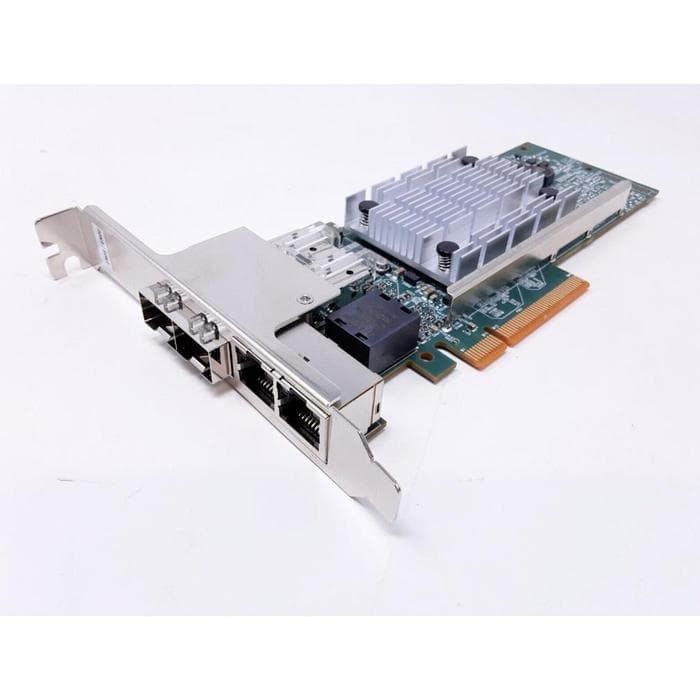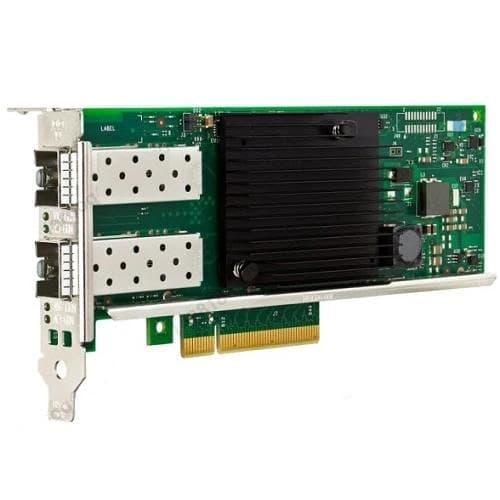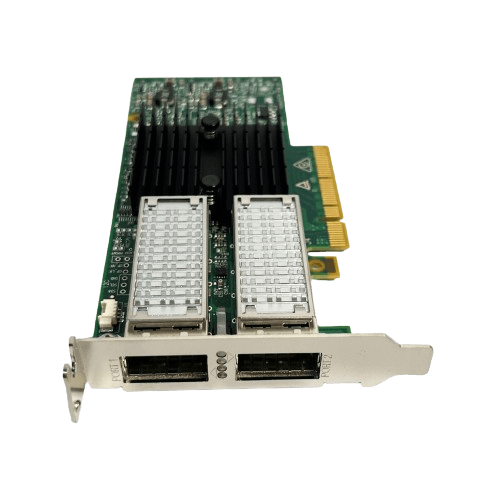
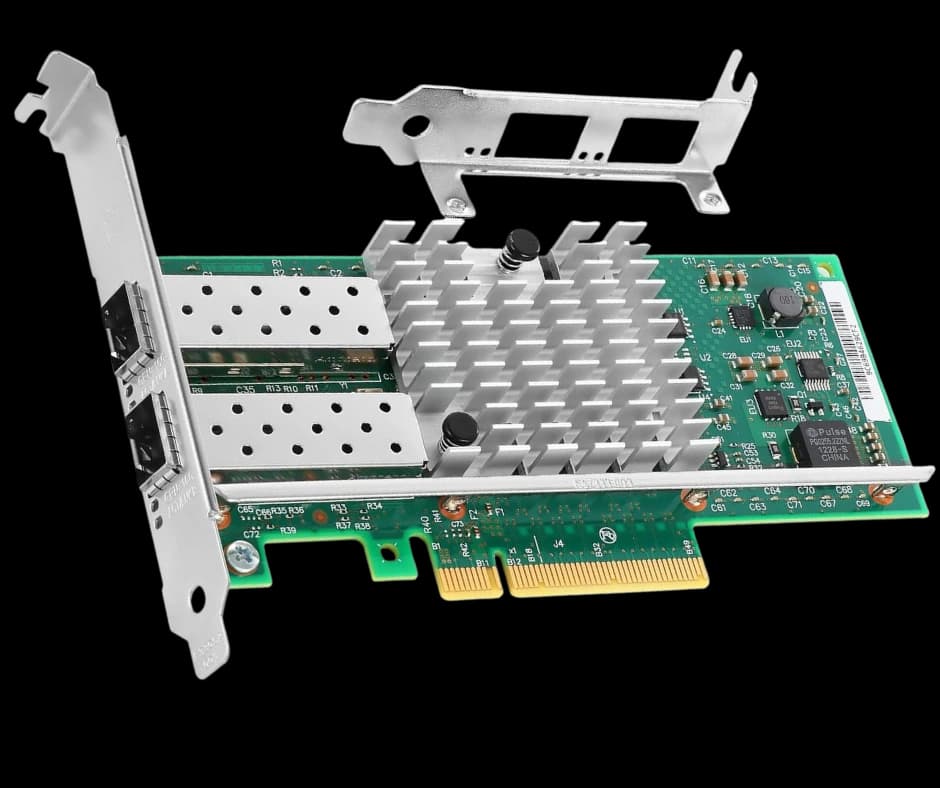
Intel X520-DA2 Ethernet Server Adapter 10Gb – Powerful Dual Port SFP NIC
SKU: intel-sfp-520x-nic
You save ₹9,500
Inclusive of all taxes
Razorpay Verified Secure Payment
Payment Methods
Trusted by Businesses Across India
Genuine Products
Sourced from authorized channels
Quality Checked
On every order, every time
PAN India Delivery
Shipped nationwide
Warranty
Where applicable, per manufacturer
Highlights
Upgrade your servers with the Intel X520-DA2 Ethernet Server Adapter 10Gb. Featuring dual SFP+ ports, Intel 82599 chipset, SR-IOV, and iSCSI/FCoE support, this NIC ensures reliable 10GbE connectivity for virtualization, storage, and enterprise workloads. Compatible with Windows Server, Linux, and MikroTik RouterOS.
Specifications
| Controller / Chipset | Intel 82599ES 10 Gigabit Ethernet Controller |
|---|---|
| Ports | 2 × SFP+ (dual-port) |
| Interface | PCI Express 2.0 x8 |
| Max Throughput | Up to 20 Gbps full-duplex (both ports combined) |
| Supported Module Types | SFP+ DAC (Direct Attach Copper), SR (short-range), LR (long-range) |
| Virtualization Features | SR-IOV (Single Root I/O Virtualization) |
| Storage Protocol Support | iSCSI, FCoE |
| Power Feature | Energy Efficient Ethernet |
| Form Factor | Standard low-profile / full-height PCIe card (bracket included) |
| SKU | intel-sfp-520x-nic |
| Weight | 200 g |
| Dimensions | 10 × 4 × 12 cm |
Description
Intel X520-DA2 Ethernet Server Adapter 10Gb – Powerful Dual Port SFP NIC
Intel X520-DA2 is a dual-port 10Gb SFP+ PCIe network adapter designed for Dell PowerEdge, HP ProLiant, Lenovo and Supermicro servers. Buy Intel X520-DA2 in India with GST invoice, warranty and PAN India delivery from Arnav Infosystem. The Intel X520-DA2 Ethernet Server Adapter 10Gb is a high-performance dual-port SFP+ network interface card (NIC) engineered for enterprises, ISPs, and modern data centers. Designed with the trusted Intel 82599 chipset, this adapter ensures low latency, high throughput, and stable connectivity across multiple workloads. With support for Windows Server, Linux, VMware, Microsoft Hyper-V, KVM, and MikroTik RouterOS, the X520-DA2 offers unmatched compatibility for diverse IT environments.
Built to handle virtualization, storage networking, and cloud applications, the Intel X520-DA2 provides dual 10GbE ports capable of delivering up to 20Gbps full-duplex bandwidth. This eliminates bottlenecks in data-heavy environments and enables organizations to scale confidently.
Why Choose Intel X520-DA2 Ethernet Server Adapter 10Gb?
The Intel X520-DA2 is one of the most widely adopted 10Gb Ethernet adapters in the industry. IT managers choose it because it combines advanced features, strong reliability, and broad compatibility. With SR-IOV (Single Root I/O Virtualization), iSCSI, and FCoE support, the card is optimized for virtualized workloads and high-performance storage environments.
Its PCI Express 2.0 x8 interface ensures efficient throughput, while support for operating systems including MikroTik OS makes it highly flexible for ISPs and network engineers who rely on RouterOS for routing, firewall, and bandwidth management solutions.
Key Features
-
Dual 10GbE SFP+ Ports – Provides up to 20Gbps full-duplex bandwidth.
-
Intel 82599 Controller – Delivers advanced networking functions and proven stability.
-
PCIe 2.0 x8 Interface – Ensures fast and reliable throughput in enterprise servers.
-
Virtualization Ready – Compatible with VMware, Hyper-V, KVM, and MikroTik RouterOS.
-
SR-IOV Technology – Efficient allocation of adapter resources to multiple VMs.
-
iSCSI and FCoE Support – Consolidates networking and storage functions.
-
Energy-Efficient Ethernet – Reduces power consumption in large-scale deployments.
-
Flexible Deployment – Supports DAC cables, SR modules, and LR modules for short- and long-range networking.
Benefits
-
High-Speed Networking – Dual 10GbE ports provide the bandwidth required for virtualization, cloud services, and enterprise workloads.
-
Low Latency & Reliability – Optimized for mission-critical industries like telecom, finance, and healthcare.
-
Cost Efficiency – Consolidates multiple 1Gb NICs into one adapter, saving hardware, cabling, and energy.
-
Future-Ready Design – Scalable to support growing cloud and virtualization demands.
-
Seamless Integration – Broad OS support, including Windows Server, Linux, and MikroTik RouterOS, ensures easy deployment.
-
Storage Optimization – Built-in iSCSI and FCoE support unify storage and networking traffic.
-
Trusted by Enterprises – Intel NICs are deployed globally in data centers for their proven quality.
Use Cases for Intel X520-DA2 Ethernet Server Adapter 10Gb
-
Virtualized Data Centers – Improve VM performance with SR-IOV on VMware, Hyper-V, or KVM.
-
ISP and Router Solutions – Fully supported on MikroTik RouterOS, making it ideal for ISPs and network administrators using MikroTik-based setups.
-
Enterprise Networking – Deploy in rack servers and mission-critical applications.
-
Cloud Environments – Scale workloads and applications with stable 10GbE connectivity.
-
High-Performance Storage – Leverage iSCSI and FCoE for faster and more efficient storage access.
Compatible Networking Solutions
The Intel X520-DA2 Ethernet Server Adapter 10Gb integrates with modern 10Gb Network Switches, enterprise servers, and high-speed storage systems. Thanks to MikroTik OS compatibility, it is also widely used by ISPs and network professionals running MikroTik RouterOS-based infrastructures.
The Intel X520-DA2 Ethernet Server Adapter 10Gb integrates perfectly with enterprise servers and 10Gb network switches.
We also offer a compatible SFP module for this adapter, ensuring you get the best performance from your deployment. 👉 Check the Intel FTLX8571D3BCV-IT SFP+ Module, tested for seamless compatibility with the Intel X520-DA2.
Trusted by Industry Leaders
Intel remains a global leader in Ethernet technology, offering NICs that provide long lifecycle support and enterprise reliability. For official documentation and specifications, refer to the 👉 Intel X520-DA2 Product Page.
Conclusion
The Intel X520-DA2 Ethernet Server Adapter 10Gb – Powerful Dual Port SFP NIC is the ideal choice for businesses, ISPs, and data centers seeking reliable, high-performance 10GbE connectivity. With dual ports, Intel 82599 chipset, support for virtualization technologies, and broad OS compatibility—including MikroTik RouterOS — this adapter delivers the flexibility, efficiency, and performance needed to future-proof enterprise IT environments.
Buying Guide
If you're comparing options to buy the Intel X520-DA2 dual port 10Gb SFP+ network card in India, here's the short version: it's a proven, Intel 82599-based 10GbE adapter that's been a standard choice in enterprise racks, ISP networks, and virtualization hosts for years — not a newer, less-tested card riding on Intel's name. Arnav Infosystem stocks it as genuine, GST-invoiced hardware with fast delivery across India, including to Bangalore, Mumbai, and every other city we ship to. Below is the technical detail a buyer actually needs before ordering: real specifications, real server and hypervisor compatibility, a link to Intel's own driver and support page, which SFP+ modules actually work with it, how to install it, and what to check first if something doesn't come up cleanly after a fresh install. None of this replaces Intel's own documentation — it's meant to get you from "is this the right card" to "this is definitely the right card" without having to piece it together from five different forum threads.
Server Compatibility
The X520-DA2 uses a standard PCIe 2.0 x8 edge connector — PCI Express is an open, vendor-neutral bus standard, not a proprietary interface, so this card fits any server with a free PCIe x8 (or larger, e.g. x16) slot. That includes the enterprise rack servers most Indian data centres and IT teams already run:
- Dell PowerEdge
Fits standard PCIe x8+ slots on PowerEdge rack and tower servers (R-series, T-series).
- HP ProLiant
Fits standard PCIe x8+ slots on ProLiant DL/ML series rack and tower servers.
- Lenovo ThinkSystem
Fits standard PCIe x8+ slots on ThinkSystem SR/ST series rack and tower servers.
- Supermicro
Fits standard PCIe x8+ slots across Supermicro's rack and tower server boards.
Virtualization & OS Compatibility
Driver support is where the X520-DA2 earns its reputation — the Intel 82599 chipset has been supported by mainline drivers for over a decade, which means it works cleanly across virtually every hypervisor and OS an IT team is likely to standardize on:
- VMware ESXi
Supported via Intel's ixgbe driver, included in ESXi's driver set for 82599-based adapters.
- Proxmox VE
Works out of the box — Proxmox's Debian-based kernel ships the mainline Linux ixgbe driver natively.
- Microsoft Hyper-V
Supported via Intel's Windows Server driver package, including SR-IOV passthrough to guest VMs.
- Linux (generic)
Supported by the in-kernel ixgbe driver on all major distributions — no out-of-tree driver needed.
- Windows Server
Supported via Intel's official Windows Server driver and PROSet utility.
Official Intel Drivers & Documentation
Always source drivers directly from Intel rather than a third-party download site — Intel maintains long-term driver support for the 82599 chipset across Windows Server, Linux, and VMware. We don't host driver files ourselves; use Intel's own product and support page below for the current driver package, release notes, and full official specifications.
Intel X520-DA2 Official Product & Driver Support PageCompatible SFP+ Modules
The X520-DA2's SFP+ ports accept three standard module/cable types depending on the run length and whether you're connecting switch-to-server or server-to-server:
| Type | Range | Use Case |
|---|---|---|
| DAC (Direct Attach Copper) | Up to ~7m | Cheapest option for short server-to-switch or server-to-server runs within the same rack. Premium DAC Cable SFP 10G (in stock) |
| SR (Short Range, multimode fibre) | Up to ~300m | Standard choice for in-building runs between racks or floors. Intel FTLX8571D3BCV-IT SFP+ Transceiver (in stock) |
| LR (Long Range, single-mode fibre) | Up to ~10km | For longer inter-building or campus runs — sourced on request. |
Installation Guide
- 1Power down and open the chassis
Shut the server down fully and disconnect power before opening the case — never install a PCIe card on a live system.
- 2Ground yourself before handling the card
Use an anti-static wrist strap or touch a grounded metal surface to avoid static damage to the card's components.
- 3Insert into a free PCIe x8 (or larger) slot
Align the card's edge connector with the slot and press down firmly until it's fully seated and the bracket screw can be secured.
- 4Connect SFP+ modules or DAC cables
Insert the SFP+ module (or DAC cable end) into the port until it clicks — it should seat with light, even pressure, never force.
- 5Power on and install the driver
Boot the server and install the current Intel driver for your OS/hypervisor from Intel's official support page (linked above) if it isn't already included.
- 6Verify link status
Check the port's link light (or your OS/hypervisor's network adapter status) to confirm a negotiated link before relying on it in production.
Troubleshooting
Card isn't detected by the OS or hypervisor after installation.
Reseat the card in the PCIe slot and confirm it's fully seated. If it's still not detected, try a different PCIe slot — some server BIOS configurations reserve certain slots for specific card types.
No link light / port shows down after connecting a module or cable.
Confirm the SFP+ module or DAC cable is fully seated and rated for 10GbE. Check that the switch port on the other end is also configured for 10G and not auto-negotiating down.
Link is up but throughput is far below 10Gbps.
Check for a mismatched or damaged cable/module, confirm the driver version is current, and verify the PCIe slot is running at x8 (not downgraded to x1/x4 by the motherboard's slot-sharing configuration).
SR-IOV virtual functions aren't appearing in the hypervisor.
Confirm SR-IOV is enabled in the server's BIOS/UEFI (not just the driver) and that the hypervisor's SR-IOV support is enabled for that PCIe device.
Intermittent disconnects under high load.
Update to the current Intel driver from the official support page, and confirm the DAC cable or SFP+ module isn't exceeding its rated distance for the link speed.
Frequently Asked Questions
Where can I buy the Intel X520-DA2 dual port 10Gb SFP+ network card in India?
Arnav Infosystem stocks the Intel X520-DA2 as genuine, GST-invoiced hardware with fast delivery across India.
What is the Intel X520-DA2 price in India?
Current pricing is shown on this page and updates with live stock — contact us or use the Bulk Quote option for a volume order.
Is the Intel X520-DA2 a 10Gb SFP+ PCIe NIC?
Yes — it's a dual-port 10Gb SFP+ network card using a PCI Express 2.0 x8 interface, built on the Intel 82599ES controller.
Does the Intel X520-DA2 work as a server adapter in Dell, HP, Lenovo, or Supermicro servers?
Yes — it uses a standard PCIe x8 edge connector, so it fits any server with a free PCIe x8 or larger slot, including Dell PowerEdge, HP ProLiant, Lenovo ThinkSystem, and Supermicro servers.
Is the Intel X520-DA2 compatible with VMware ESXi?
Yes, via Intel's ixgbe driver, which is included in ESXi's driver set for 82599-based adapters.
Does the Intel X520-DA2 work with Proxmox?
Yes — Proxmox VE's Debian-based kernel ships the mainline Linux ixgbe driver natively, so the card works without installing a separate driver.
Is the Intel X520-DA2 supported on Hyper-V?
Yes, via Intel's official Windows Server driver package, including SR-IOV passthrough to Hyper-V guest VMs.
Which SFP+ modules work with the Intel X520-DA2?
DAC (direct attach copper) cables for short runs, SR modules for in-building multimode fibre runs, and LR modules for longer single-mode fibre runs.
Where do I download the official Intel driver for the X520-DA2?
Always use Intel's own official product and support page (linked on this page) rather than a third-party download site.
Can I get a bulk quote for multiple Intel X520-DA2 cards?
Yes — use the Bulk Quote option on this page and we'll price your requirement as a single order.
Reviews
Be the first to review.