
Hypervisor Sizing Guide
VMware Server Guide — Sizing Hardware for ESXi
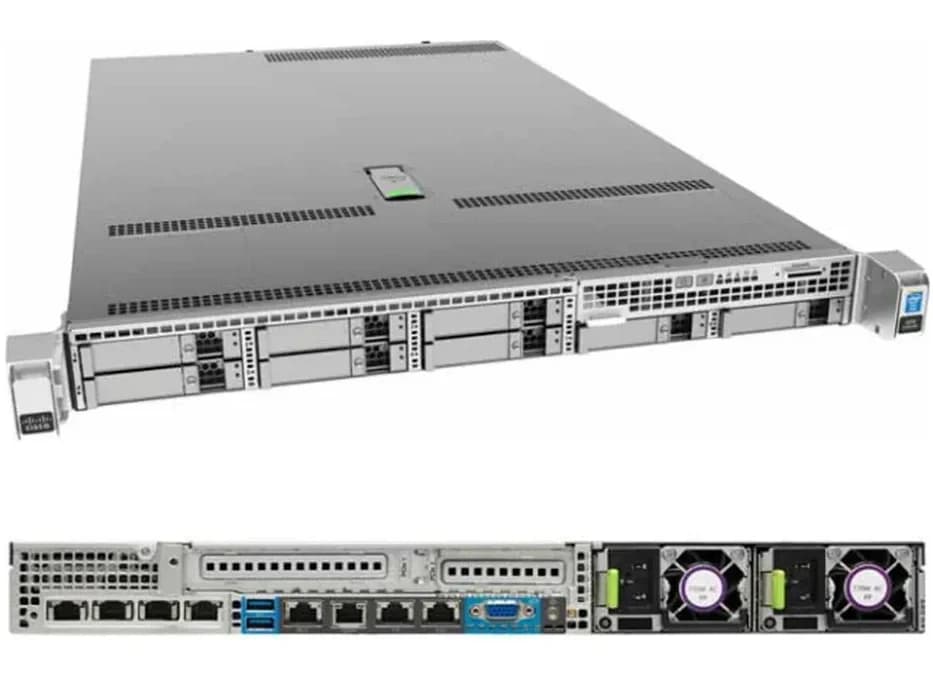
Sizing a server for VMware ESXi comes down to a handful of real questions: how many VMs, how much RAM and CPU each one actually needs, and how much headroom you want for growth and failover — not the highest spec number on a sheet. Our genuine, in-stock Cisco UCS C220 M4 is validated hardware for VMware deployment, built around Intel Xeon E5 v3/v4 processors with up to 1.5TB of DDR4 memory, which covers a wide range of ESXi host sizes from a handful of VMs to a fairly dense single-host deployment. This page walks through how to think about sizing before you order, and points you to our real in-stock Xeon processors if you're configuring rather than buying as-is.
VMware-Validated
Genuine, currently-stocked hardware
Sizing Help
Tell us your VM count, we'll help configure it
GST Invoicing
Proper invoices on every order
PAN-India Delivery
Tracked delivery to any Indian city
Shop VMware-Ready Hardware
Everything you need to configure a VMware ESXi host:
Features
What actually drives ESXi host sizing, in the order it usually matters:
- vCPU-to-core ratio
- How many virtual CPUs you plan to allocate per physical core — higher consolidation needs more cores, not just faster ones.
- RAM per VM, multiplied out
- Total host RAM needs to comfortably cover every VM's allocation plus hypervisor overhead, not just the sum with no headroom.
- Storage throughput
- VM disk I/O is often the real bottleneck before CPU or RAM — plan storage performance around your busiest VMs, not the average.
- Network throughput
- Multiple VMs sharing onboard 1GbE can bottleneck fast — a 10G/40G adapter is worth adding for busier hosts.
- Headroom for failover and growth
- Sizing to exactly today's VM count leaves no room for maintenance, failover, or adding VMs later.
Why Buy From Arnav Infosystem
The Cisco UCS C220 M4 we stock is genuinely validated for VMware ESXi deployment, not a generic "should work" claim — and the real Intel Xeon processors alongside it let you size the configuration to your actual VM count rather than buying whatever's on the shelf. Tell us how many VMs you're running and roughly what they do (light application servers vs. heavier database workloads) and we'll help you land on a processor and RAM configuration before you commit, rather than defaulting to the highest-spec option regardless of whether you need it.
Sizing a Server for VMware ESXi
A practical framework for going from "how many VMs" to a real hardware configuration:
Start by counting VMs and their real requirements
List every VM you plan to run with its vCPU and RAM allocation — this total, not a guess, is your starting point for sizing the host.
Add headroom, don't size to exactly today's total
Leave room for maintenance windows, failover, and VMs you'll add later — sizing to the exact current total leaves no slack.
Match core count to consolidation ratio
A higher vCPU-to-core ratio needs more physical cores to stay responsive — don't assume a fast clock speed alone compensates.
Plan storage and network for your busiest VM, not the average
A single I/O-heavy VM can bottleneck an otherwise well-sized host — size storage throughput and network adapters around your busiest workload.
Who Runs VMware on This Hardware
VMware ESXi deployments on rack-mount hardware like this tend to come from a recognizable set of buyers:
- IT Services & MSPs: Hosting multiple client environments on a single, well-managed ESXi host.
- Enterprises Consolidating Servers: Replacing several physical servers with VMs on fewer, higher-spec hosts.
- Software Companies: Dev/test and staging environments that need isolated VMs without separate physical hardware.
- Data Centres & Colocation: Standard rack-mount virtualization hosts for hosted infrastructure.
Cisco UCS C220 M4 vs Typical ESXi Host Requirements
| Requirement | Typical ESXi Minimum | Cisco UCS C220 M4 (Our Stock) |
|---|---|---|
| Processor | 64-bit multi-core CPU | Up to 2x Intel Xeon E5-2600 v3/v4 |
| Memory | 4GB minimum, more for real workloads | Up to 1.5TB DDR4 |
| Network | 1 NIC minimum | 2x 1GbE onboard, optional 10G/40G |
| Storage | Supported RAID/HBA controller | Cisco 12G SAS RAID (0/1/5/10/50) |
VMware-Ready Hardware in Stock
Genuine, VMware-validated hardware and the processors to size it, currently in stock:
Cisco
Cisco UCS C220 M4 SFF Rack Server (Suitable for MikroTik, Virtualization & Data Center Applications)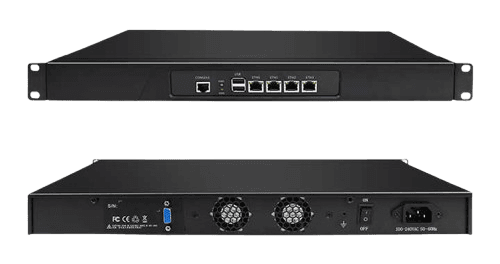
FAQ
Is the Cisco UCS C220 M4 actually validated for VMware?
Yes — it's commonly deployed with VMware ESXi and is genuine, in-stock hardware.
How many VMs can this hardware realistically run?
It depends on your VM sizing (vCPU/RAM per VM) — tell us your requirement and we'll help size a configuration.
Do I need a specific Xeon core count for VMware?
Higher VM consolidation benefits from more cores — our in-stock Xeon options range up to 22 cores.
How much RAM should I get for ESXi?
Total your planned VM RAM allocations plus hypervisor overhead, then add headroom — we can help you size this.
Does this hardware support VMware vSAN?
vSAN has its own storage and networking requirements — tell us your specific vSAN plan and we'll confirm compatibility.
Is a 10G network adapter necessary for VMware?
Not always, but it's worth adding if multiple VMs will share network bandwidth on a busy host.
Can I upgrade RAM or processor later?
Yes, within the chassis's supported configuration — ask us before ordering if you want room to grow.
Do you offer Proxmox-specific guidance too?
Yes — see our Proxmox Server Guide if you're considering Proxmox VE instead of VMware.
India Coverage
VMware-ready hardware ships PAN-India, with faster turnaround in these cities: