
Hypervisor Sizing Guide
Proxmox Server Guide — Hardware for Proxmox VE
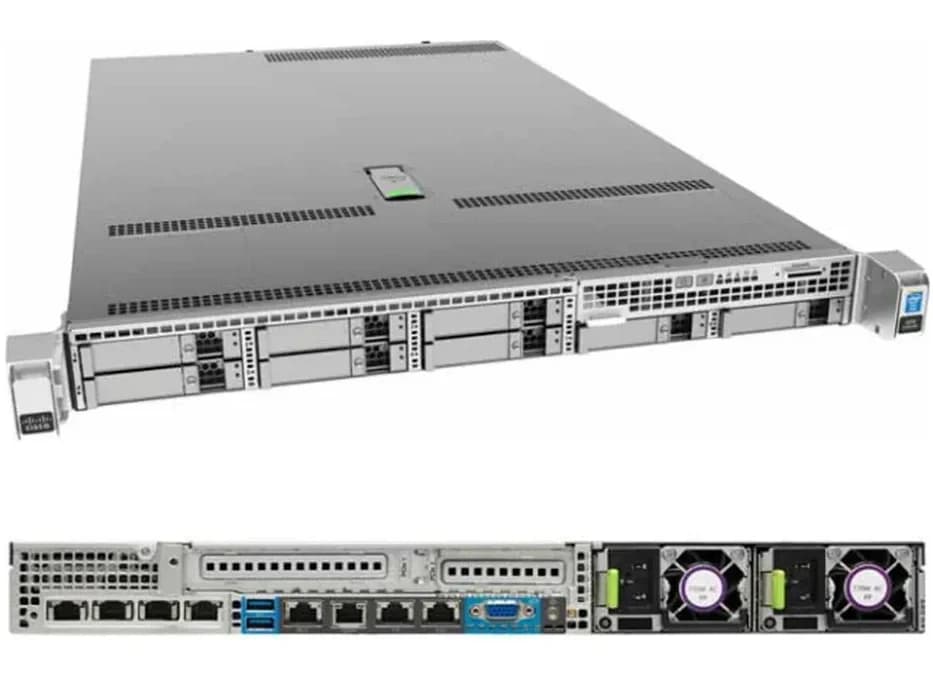
Proxmox VE is a common choice for teams running VMs and LXC containers without a VMware licence, and it's a genuinely popular pairing with MikroTik CHR and general network-gateway virtualization. Our genuine, in-stock Cisco UCS C220 M4 is validated for Proxmox deployment, built around Intel Xeon E5 v3/v4 processors with up to 1.5TB of DDR4 memory — plenty of headroom for a mixed VM and container workload. This page covers how to think about sizing a Proxmox host before you order, and points you to real in-stock Xeon processors if you're configuring rather than buying as-is.
Proxmox-Ready
Genuine, currently-stocked hardware
Sizing Help
Tell us your VM/container count, we'll help configure it
GST Invoicing
Proper invoices on every order
PAN-India Delivery
Tracked delivery to any Indian city
Shop Proxmox-Ready Hardware
Everything you need to configure a Proxmox VE host:
Features
What actually drives Proxmox host sizing, whether you're running VMs, LXC containers, or both:
- VM vs container mix
- LXC containers are lighter than full VMs — a host running mostly containers can support more density than one running mostly VMs.
- CPU core count
- More cores support more concurrent VMs/containers without contention — our in-stock Xeon options go up to 22 cores.
- RAM allocation
- Total planned RAM across every VM and container, plus headroom for Proxmox itself and ZFS if you're using it.
- Storage — ZFS considerations
- ZFS (common with Proxmox) benefits from RAM for caching — factor this in if you're planning a ZFS storage pool.
- Network throughput for clustering
- A Proxmox cluster with live migration benefits from a fast, dedicated network link between nodes.
Why Buy From Arnav Infosystem
The Cisco UCS C220 M4 we stock is genuinely capable Proxmox VE hardware, and it's a well-known pairing with MikroTik CHR deployments specifically — real, in-stock hardware, not a generic compatibility claim. Tell us your planned VM/container count and whether you're running MikroTik CHR, general application VMs, or a mix, and we'll help you size a processor and RAM configuration from our genuine Xeon stock before you commit.
Sizing a Server for Proxmox VE
A practical framework for going from "how many VMs and containers" to a real hardware configuration:
Separate your VM and container counts
LXC containers are lighter than full VMs — total them separately, since a container-heavy host needs less headroom than a VM-heavy one.
Plan RAM around ZFS if you're using it
ZFS benefits significantly from RAM for caching — add this to your total RAM sizing rather than treating it as a fixed overhead.
Size cores for your busiest concurrent workload
Don't just total every VM's vCPU allocation — think about how many will realistically run demanding tasks at the same time.
Plan networking for clustering, if relevant
A Proxmox cluster with live migration benefits from a fast, dedicated network link between nodes — factor this in if you're planning more than one host.
Who Runs Proxmox on This Hardware
Proxmox VE deployments on rack-mount hardware like this tend to come from a recognizable set of buyers:
- ISPs & Network Operators: MikroTik CHR and other network-gateway VMs alongside general application workloads.
- Budget-Conscious IT Teams: Full virtualization capability without a VMware licensing cost.
- Home Labs & Enthusiasts: A popular open-source hypervisor choice for personal virtualization projects.
- MSPs on Budget Deployments: Client virtualization without per-socket hypervisor licensing.
Cisco UCS C220 M4 vs Typical Proxmox VE Requirements
| Requirement | Typical Proxmox Minimum | Cisco UCS C220 M4 (Our Stock) |
|---|---|---|
| Processor | 64-bit CPU with virtualization support | Up to 2x Intel Xeon E5-2600 v3/v4 |
| Memory | 2GB minimum, more for real workloads | Up to 1.5TB DDR4 |
| Storage | ZFS-capable storage recommended | 8-bay hot-swap SFF, RAID 0/1/5/10/50 |
| Network | 1 NIC minimum, more for clustering | 2x 1GbE onboard, optional 10G/40G |
Proxmox-Ready Hardware in Stock
Genuine Proxmox-capable hardware and the processors to size it, currently in stock:
Cisco
Cisco UCS C220 M4 SFF Rack Server (Suitable for MikroTik, Virtualization & Data Center Applications)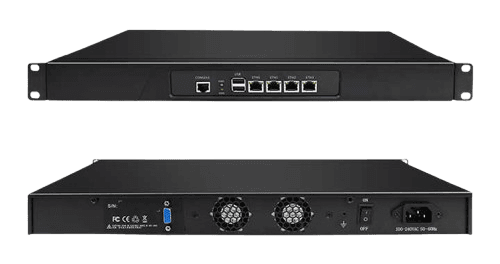
FAQ
Is the Cisco UCS C220 M4 suitable for Proxmox VE?
Yes — it's genuinely capable Proxmox hardware, and a common pairing with MikroTik CHR deployments specifically.
Is Proxmox free to use on this hardware?
Proxmox VE itself is free/open-source — licensing is a Proxmox question, not a hardware limitation on our end.
How many VMs and containers can this handle?
It depends on your VM/container mix and sizing — tell us your requirement and we'll help configure it.
Does this hardware support ZFS storage pools?
Yes, with adequate RAM for caching — factor this into your total RAM sizing if you're planning ZFS.
Can I run MikroTik CHR on this under Proxmox?
Yes, it's a well-suited platform for MikroTik CHR under Proxmox VE.
What core count should I get for a mixed workload?
More cores support more concurrent VMs/containers — our in-stock Xeon options range up to 22 cores.
Can I cluster multiple Proxmox nodes on your hardware?
Yes, if you order multiple units — a fast, dedicated inter-node network link is worth planning for live migration.
Do you offer VMware-specific guidance too?
Yes — see our VMware Server Guide if you're considering VMware ESXi instead of Proxmox.
India Coverage
Proxmox-ready hardware ships PAN-India, with faster turnaround in these cities: